2026-05-20 · 8
Dog Talking Buttons vs Dog Translator Apps: Which Actually Works?
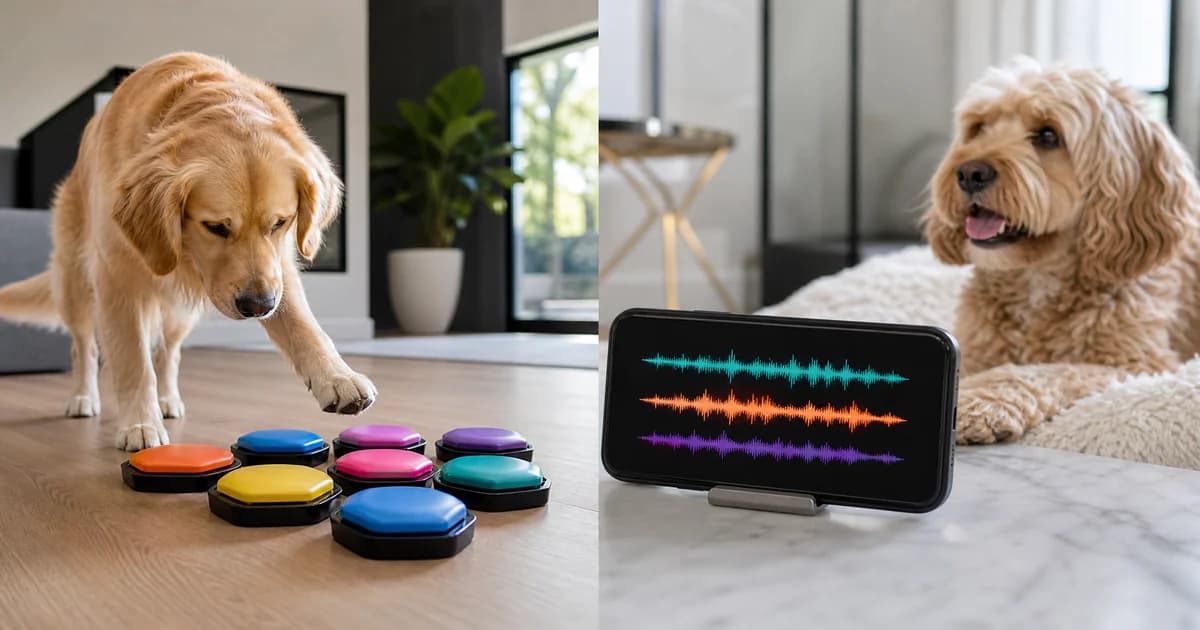
Dog talking buttons teach dogs to express specific needs by pressing recorded words, while translator apps use AI to interpret canine vocalizations. Buttons require extensive training but enable intentional communication. Apps work immediately but provide emotional analysis rather than specific requests. Both tools offer unique benefits for understanding your dog better.
What Most People Get Wrong About These Tools
The biggest misconception is that these technologies do the same thing. They don't. Buttons teach dogs to produce specific signals. Apps interpret signals dogs already produce naturally. The direction of communication differs completely.
Many owners expect instant results from either tool. Buttons require weeks or months of consistent training before dogs use them reliably. Apps work immediately but provide general emotional categories rather than specific messages.
Another common mistake is thinking one tool replaces the other. They complement each other. Buttons let dogs initiate communication about specific needs. Apps help you understand emotional states behind vocalizations. Using both creates richer communication.
How Dog Talking Buttons Work
Button systems consist of programmable pads that play recorded words when pressed. Popular systems like FluentPet organize buttons on hexagonal tiles, allowing expansion as your dog learns.
The training process:
- Start with one button for a highly motivating activity like "outside" or "play"
- Model button use by pressing it yourself before providing the associated activity
- Encourage your dog to investigate the button through shaping and prompting
- Reward any button interaction initially, then require actual presses
- Add new buttons gradually as your dog masters existing ones
What dogs actually learn:
Dogs learn that pressing specific buttons produces predictable outcomes. They don't understand words as abstract concepts. "Outside" means "pressing this sound leads to door opening," not "I want to experience the outdoors."
Training timeline:
- Week 1-2: Dog investigates buttons, may press accidentally
- Week 3-4: Intentional pressing for high-value rewards
- Month 2-3: Consistent use of 2-3 buttons
- Month 4-6: Expanded vocabulary of 5-10 buttons
- Beyond: Individual variation, some dogs learn dozens
Success requires patience, consistency, and starting with highly motivating rewards.
How Dog Translator Apps Work
Translator apps use AI to analyze acoustic properties of barks, whines, and growls. Machine learning models identify emotional states based on sound patterns.
The analysis process:
- Record your dog's vocalization through the app
- AI extracts acoustic features like pitch, duration, and frequency
- Algorithms compare features against trained models
- App returns probability scores for emotional categories
- Results display with confidence levels
What apps actually identify:
Apps categorize emotional states like excitement, anxiety, hunger, or playfulness. They don't translate specific thoughts or desires. "Excitement" doesn't tell you whether your dog wants a treat or a toy. It tells you they're emotionally aroused.
Using the app:
Apps work immediately without training. Accuracy improves as the AI learns your specific dog's vocal patterns. Most show useful results within the first few uses.
Download Dog Translator to start understanding your dog's emotional communication right away.
Comparing Communication Capabilities
| Aspect | Talking Buttons | Translator Apps | |--------|----------------|-----------------| | Direction | Dog to human | Dog to human | | Message type | Specific requests | Emotional states | | Training required | Weeks to months | None | | Learning curve | Steep for dogs | Minimal for humans | | Cost | $50-200 for systems | $3-10 per app | | Space needed | Dedicated area | Just your phone | | Expansion potential | Add more buttons | Software updates |
Neither tool is objectively better. They serve different communication purposes.
When Buttons Work Best
Consider investing in a button system when you want to enable intentional communication about specific needs.
Ideal button candidates:
- Food-motivated dogs who enjoy puzzle-solving
- Dogs already trained using shaping methods
- Owners with patience for gradual skill building
- Households where multiple people can maintain consistency
- Dogs with clear, consistent needs they want to express
Best button use cases:
- Dogs who need frequent bathroom breaks
- Pets wanting specific toys or activities
- Medical needs like medication or positioning
- Emotional states like "concern" or "happy"
- Creative expansion for engaged learners
Buttons shine when dogs have something specific to say and owners commit to the training process.
When Apps Work Best
Consider translator apps when you want immediate insight into emotional states without extensive training.
Ideal app users:
- New dog owners learning canine communication
- Multi-dog households needing to identify who vocalizes
- Owners monitoring behavioral changes
- People seeking to understand barking triggers
- Those wanting data to share with trainers or veterinarians
Best app use cases:
- Identifying anxiety versus excitement
- Tracking emotional patterns over time
- Distinguishing between similar-sounding vocalizations
- Learning your individual dog's communication style
- Monitoring senior dogs for cognitive or medical changes
Apps excel at providing immediate insight without the training investment buttons require.
Using Both Tools Together
The most sophisticated communication setups combine both approaches. Buttons enable specific requests. Apps provide emotional context.
Example integration:
Your dog presses the "outside" button. You check the translator app to see if they're excited (want to play) or anxious (need to eliminate urgently). The combination helps you respond appropriately to the specific request.
Another scenario:
The app identifies anxiety vocalization. You guide your dog to the "concern" button to help them express what's wrong. Over time, your dog learns to initiate communication about worry rather than just barking anxiously.
Benefits of combination:
- Buttons provide intentional communication
- Apps capture spontaneous emotional expression
- Together they cover both deliberate and involuntary communication
- Apps help you interpret button use context
- Buttons give dogs agency app-based systems lack
The Counterintuitive Truth About Dog Communication
Here's what surprises most owners. Your dog already communicates effectively without any technology. Body language, facial expressions, and contextual cues convey enormous information. Tools enhance communication but aren't necessary for understanding.
Another unexpected finding: the process of teaching buttons often improves human observation skills. Owners paying close attention to when dogs might want to press buttons notice subtle signals they previously missed. The training benefits the human as much as the dog.
Some dogs never take to buttons despite extensive training. Individual temperament and motivation vary enormously. A dog who excels at button use might struggle with other training, and vice versa. There's no universal "smartest" approach.
Cost-Benefit Analysis
Talking buttons:
- Initial investment: $50-200
- Time investment: 10-30 minutes daily for months
- Success rate: Varies widely, perhaps 60-70% of dogs learn basic use
- Ongoing cost: Minimal, occasional battery replacement
- Best for: Committed owners with patient, food-motivated dogs
Translator apps:
- Initial investment: $3-10
- Time investment: Minimal, occasional recording
- Success rate: Immediate functionality, accuracy varies
- Ongoing cost: None or subscription fees
- Best for: Owners wanting immediate insight without training commitment
Both together:
- Investment: $53-210
- Provides: Most comprehensive communication system
- Best for: Dedicated owners seeking maximum understanding
Related Articles
- Dog Translator App: How AI Turns Barks into Meaning
- Best Dog Translator Apps of 2026: Tested and Ranked
- Human to Dog Translator: Can You Really Talk to Your Pet?
- Dog Bark Translator vs Dog Training: Which Should You Use?
- What Your Dog's Sounds Really Mean: A Complete Guide
Frequently Asked Questions
Can my dog really learn to use talking buttons?
Many dogs can, but not all. Success depends on individual temperament, motivation, and consistent training. Food-motivated dogs who enjoy problem-solving tend to learn faster. Some dogs master dozens of buttons. Others never progress beyond basic use despite extensive training.
Are talking buttons just a fad?
Button systems have legitimate value for certain dogs and owners. They're not universally necessary but provide genuine communication enhancement for engaged learners. The viral videos show best-case scenarios. Real-world results vary considerably.
Do I need both buttons and a translator app?
Neither is essential. Both enhance communication in different ways. Buttons require significant investment but enable specific intentional communication. Apps provide immediate emotional insight without training. Choose based on your goals and commitment level.
Which is easier: buttons or apps?
Apps are easier for humans. They work immediately without training. Buttons are challenging for both species, requiring extensive teaching and learning. However, buttons ultimately provide more sophisticated communication capabilities for successful learners.
Can translator apps help me teach buttons?
Yes. Apps identifying when your dog wants specific things help you time button modeling appropriately. If the app shows hunger signals, that's an ideal moment to model the "food" button. The combination can accelerate button learning.
What if my dog doesn't take to buttons?
Many dogs don't. That's normal. Don't force it. Apps still provide value. Focus on other communication methods like body language observation and consistent training. Buttons are one tool among many, not a requirement for good communication.
Want to start understanding your dog's communication? Download Dog Translator and explore what your dog's vocalizations reveal.
Try it with your dog
Record a bark, scan a dog photo, or play a sound and see what happens next.